
Digital Foundations For Kids
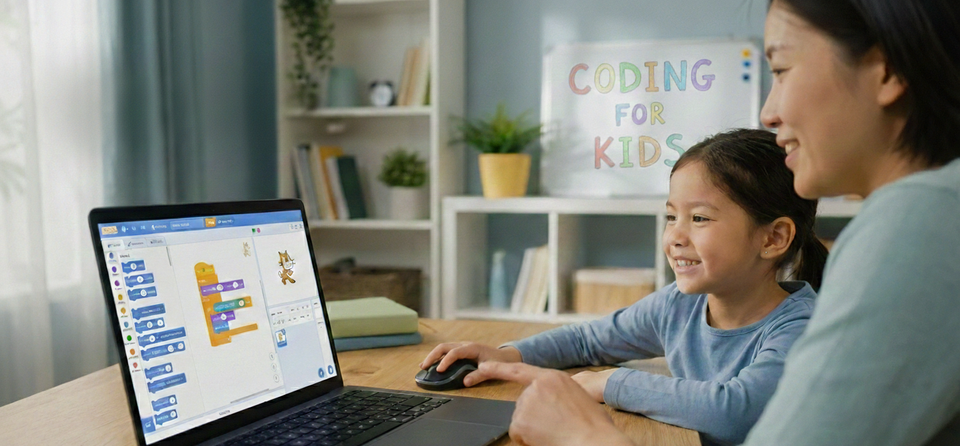
Learn to Think, Build, and Create — One Step at a Time
A thoughtfully designed learning journey for young kids, focused on thinking skills, creativity, and confidence — not syntax, screens, or pressure.
OR Register Below For FREE Logic Audit Exercise
 The Dev Learnings Team
Why Digital Foundations?
I'm a Software Engineer and a Dad. We are a 'No-Roblox' home. I built this because I wanted my kids to be Architects of technology, not just passive users of addictive platforms.
Digital education is often misunderstood.
It’s not about teaching kids complex tools early.
It’s not about memorizing commands or racing toward “real code.”
At its core, learning with computers is about learning how to think.
When taught the right way, working with computers helps kids:
- Think logically and sequentially
- Understand cause and effect
- Break big ideas into smaller steps
- Build confidence by creating things on their own
Digital Foundations for Kids treats computers as a thinking partner, not a technical obstacle.
How We Build Architects
Most kids’ tech programs are built by content teams or marketers.
This one is different.
- Designed by a seasoned professional software engineer
- Built the same way real systems are built — step by step
- Originally created to teach my own child
- Refined through real teaching, not theory
No shortcuts.
No gimmicks.
No overstimulation.
Just solid foundations, taught gently and clearly.
How Kids Learn Here
While our projects are built on play, our teaching methodology is built on world-class educational research. We don't just "show" kids how to code; we use a structured pedagogical blueprint—inspired by the Finnish Education Model—to ensure deep, permanent understanding.
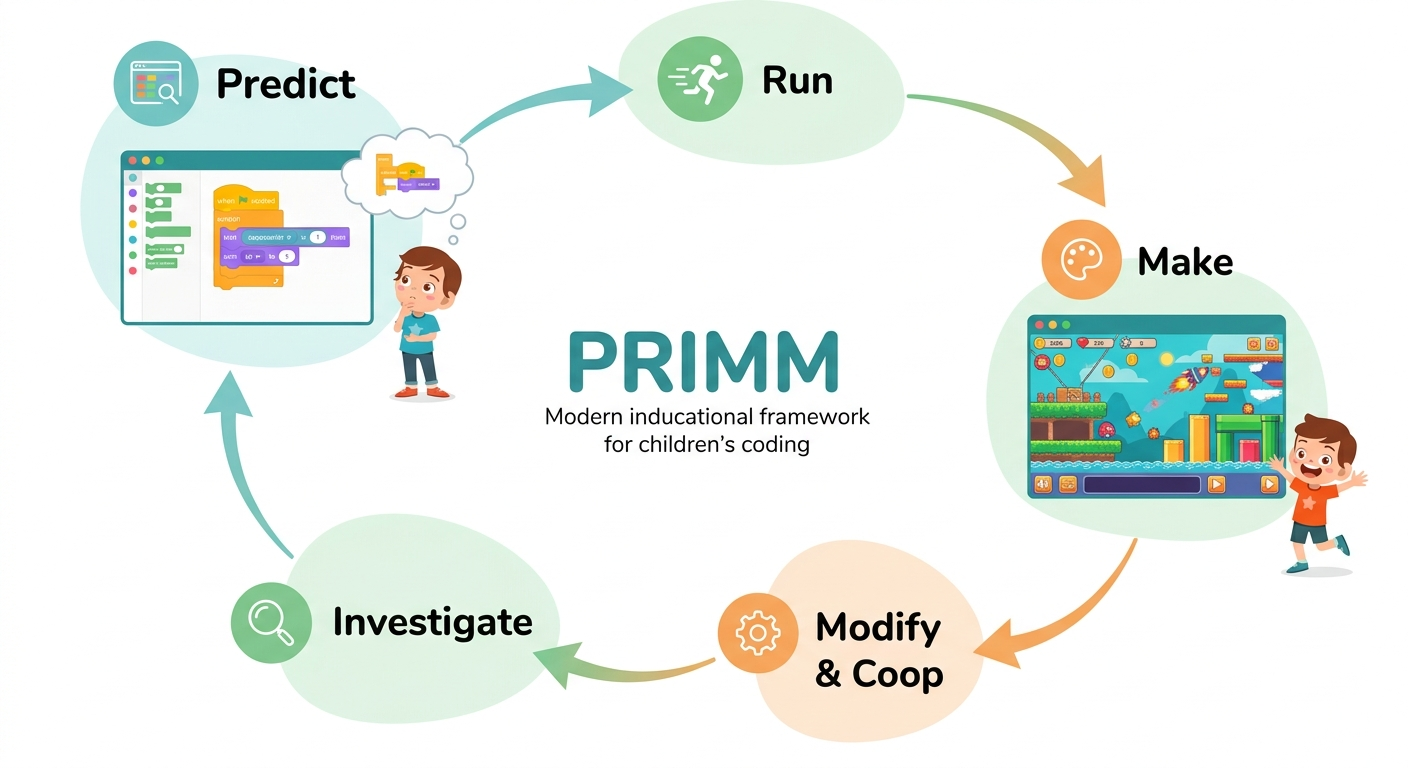
1. The PRIMM Approach (Predict, Run, Investigate, Modify, Make)
Instead of passive watching, we use the PRIMM framework. Students first Predict what a script will do, Run it to test their theory, Investigate the underlying logic, Modify the parameters, and finally Make something entirely their own. This ensures your child understands the why behind the what.
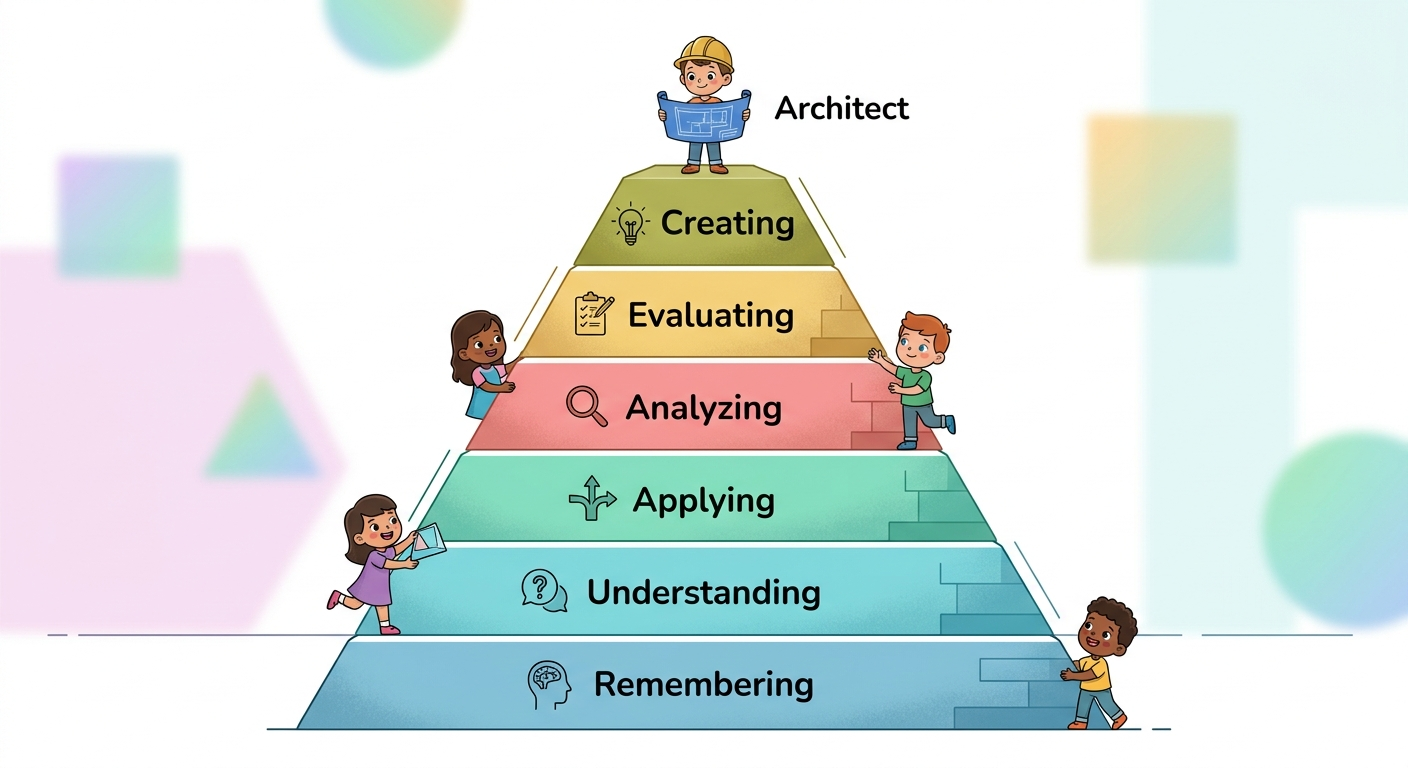
2. Bloom’s Taxonomy for Digital Creation
We guide children through a cognitive hierarchy. We move beyond simple Remembering (memorizing blocks) toward Applying logic to new problems and ultimately Creating complex systems. This transforms them from digital consumers into digital architects.
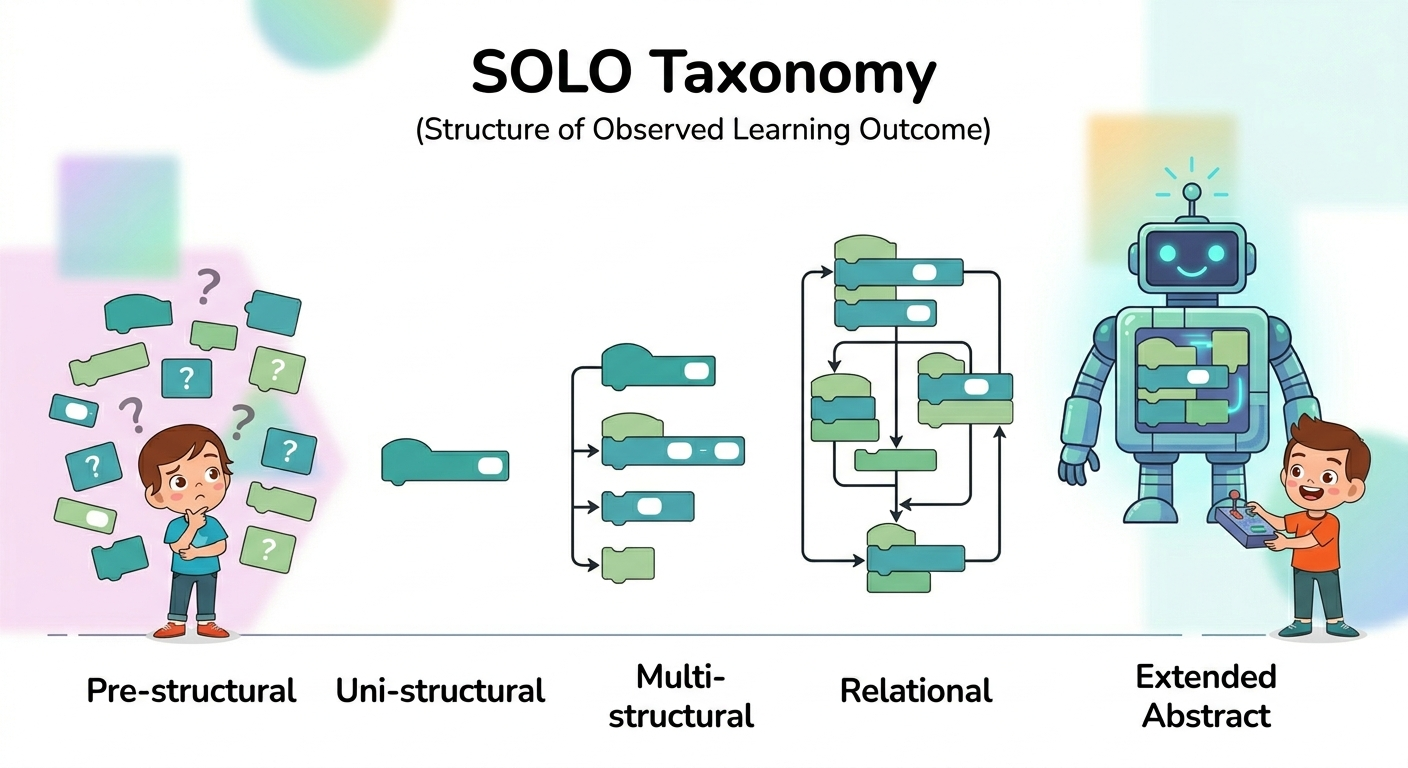
3. The SOLO Taxonomy (Structure of Observed Learning Outcome)
We track progress using the SOLO model. We help children move from "Pre-structural" thinking (randomly clicking blocks) to "Relational" and "Extended Abstract" thinking—where they can see how different parts of a program connect to form a unified, working machine.
The Finnish Advantage
By integrating principles from Finnish Early Childhood Education, I focus on "Transversal Competencies." This means we prioritize learning how to learn, self-regulation, and logical reasoning. As a Senior Developer, my goal isn't just to teach a programming language; it is to mentor your child in the engineering mindset that I use every day in the professional world.
Who Is This For?
This program is a good fit if:
- Your child is 5–10 years old (flexible based on maturity)
- Your child enjoys stories, games, or puzzles
- You care more about thinking skills than certificates
- You want screen time to feel meaningful, not addictive
No prior experience is required — for kids or parents.
How the Teaching Style Works
- Small, clear steps
- Visual and story-based learning
- Repetition without boredom
- Encouragement over correction
Kids are never rushed.
Understanding always comes before “finishing.”
Curriculum Details
Detailed Session Info
🪄 Module 1: The First Spark
Students create their very first animated project and bring a character to life. They discover:
• How to give clear step-by-step instructions
• How actions run in sequence
• How to start and test a program
Focus: Confidence & sequencing
🧭 Module 2: The Explorer’s Path
Students explore how characters move across the screen and learn to guide them intentionally. They discover:
• Different movement directions
• Speed and motion control
• How small changes affect outcomes
Focus: Precision & experimentation
🎭 Module 3: The Animation Enchantment
Students bring characters to life through movement patterns and visual changes. They discover:
• How to animate using costume changes
• How repetition creates smooth motion
• How timing affects visual storytelling
Focus: Patterns & timing
🎮 Module 4: The Power of Interaction
Students make their projects respond to their actions. They discover:
• How programs react to keyboard input
• How to design interactive movement
• How cause and effect works in digital systems
Focus: Cause & effect
🔔 Module 5: The Sound & Story Studio
Students enhance their creations with sound and expressive elements. They discover:
• How to add sound effects and audio
• How to synchronize sound with motion
• How details make projects more immersive
Focus: Creative layering
🧠 Module 6: The Logic Lantern
Students begin using simple decision-making in their programs. They discover:
• “If this happens, then do that” thinking
• How characters can respond to situations
• How logic changes outcomes
Focus: Logical reasoning
🌍 Module 7: The World Builder’s Journey
Students create projects with multiple scenes and structured flow. They discover:
• How to switch between backdrops
• How to organize larger ideas
• How to build connected digital worlds
Focus: Organization & flow
🕹 Module 8: The Game Maker’s Quest
Students design their first simple interactive game. They discover:
• How characters detect contact
• How to create reactions when objects touch
• How to design basic game rules
Focus: Systems thinking
🗺 Module 9: The Architect’s Blueprint
Students learn how to plan before building their final creation. They discover:
• How to break big ideas into smaller steps
• How to identify and fix simple problems
• How structured thinking improves outcomes
Focus: Planning & problem solving
🌟 Module 10: The Grand Creation Showcase
Students combine everything they’ve learned into a final project. They discover:
• How to integrate motion, interaction, and logic
• How to build independently
• How to confidently present their ideas
Focus: Ownership & creative confidence
Ready to See If This Is the Right Fit?
In your free 30‑minute session, I will personally run a real logic puzzle with your child and give you my honest assessment. No pressure. Just 30 minutes.
Become Part of the Journey
"The Digital Foundations For Kids" is more than a course—it’s a shift in how we prepare the next generation. Whether you’re looking for daily logic tips or a direct line to a Senior Dev, we’re here.
The WhatsApp Community: A private space for parents to discuss digital fluency, logical reasoning, and how to guide our kids in a tech-driven world. No spam, just high-value insights. Join the Discussion
The Instagram Lab: Watch how we turn "gamers" into "architects." I share real-time updates on our curriculum development and the specific logic puzzles we solve in the lab. Follow the Progress