
Redux Toolkit best practices
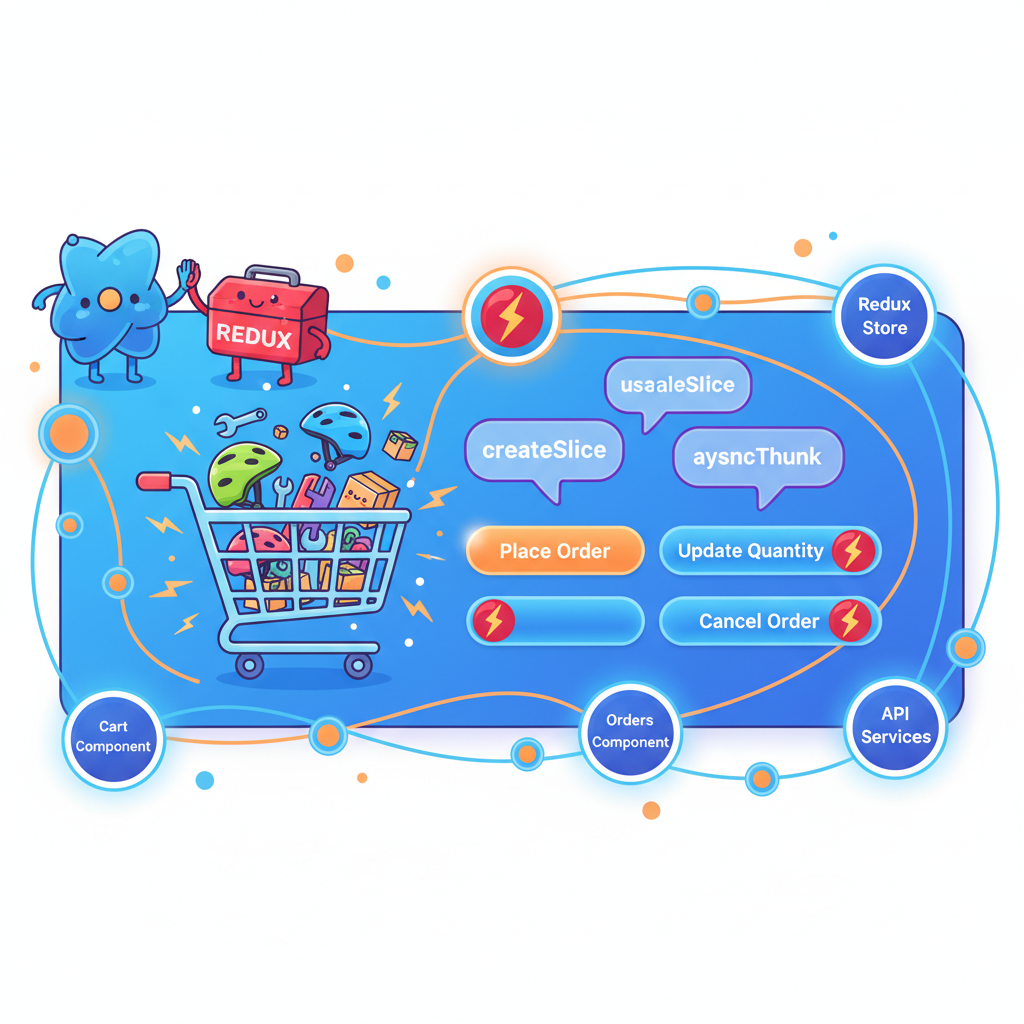
When React applications grow, state management becomes the hardest part to reason about.
You’ve already learned how to manage state using useState, lift state up, and even share it using the Context API. But at scale—especially in applications like order management systems, those approaches start to break down.
That’s where Redux Toolkit (RTK) comes in.
Redux Toolkit shines when an order management app grows from a few local states into many interconnected slices like cart, orders, inventory, and user preferences. This article walks through practical Redux Toolkit best practices, using order‑management‑flavoured examples that build on concepts like props vs state, lifting state up, reusable components, and form handling from earlier topics.
When to reach for Redux Toolkit
Redux Toolkit (RTK) is ideal when your state is shared across multiple components, updated from many places, or synced with server APIs.
- Simple local UI concerns (like toggling a filter dropdown) should still live in component state via
useState, as discussed in props vs state. - Shared business data like cart items, active order, inventory, and fulfillment status fits better in global state using RTK.
Earlier topics that fit naturally above RTK:
- Comparing React with Vanilla JS: RTK removes manual store setup and reducers boilerplate.
- Props vs state: Local vs global decision is critical before you move something into Redux.
- Context API for shared state: RTK is often a better fit once shared state grows beyond a few simple values.
Useful earlier reads:
- Why React? Comparing React with Vanilla JS
- Props vs state in React
- Context API for shared state and patterns
- Local state vs global state: decision framework for React apps
Project setup and folder structure
Let’s create a minimal RTK + React project you can run locally, with an order‑management flavour.
1. Create and install
npx create-react-app <your_project_name>
cd <your_project_name>
npm install @reduxjs/toolkit react-redux
2. Recommended folder structure
A simple but scalable structure:
src/
  app/
    store.js
  features/
    cart/
      cartSlice.js
    orders/
      ordersSlice.js
  components/
    CartSummary.js
    OrderList.js
    AddToCartButton.js
  App.js
  index.js
This follows the “feature folder” best practice from reusable component system discussions: group by feature, not by type.
Setting up the Redux store with RTK
src/app/store.js
// src/app/store.js
import { configureStore } from '@reduxjs/toolkit';
import cartReducer from '../features/cart/cartSlice';
import ordersReducer from '../features/orders/ordersSlice';

const store = configureStore({
  reducer: {
    cart: cartReducer,
    orders: ordersReducer,
  },
});

export default store;
Best practices here:
- Use
configureStoreinstead of manually creating store + middleware. - Register slices by feature (
cart,orders) for clarity and scalability.
Designing slices: keep them focused, not granular
A slice should represent a coherent domain (cart, orders, inventory), not tiny individual booleans.
Cart slice with order‑management logic
// src/features/cart/cartSlice.js
import { createSlice } from '@reduxjs/toolkit';

const initialState = {
  items: [], // {id, title, price, quantity}
  totalQuantity: 0,
  totalAmount: 0,
};

const cartSlice = createSlice({
  name: 'cart',
  initialState,
  reducers: {
    itemAddedToCart(state, action) {
      const { id, title, price } = action.payload;
      const existing = state.items.find(item => item.id === id);

      if (existing) {
        existing.quantity += 1;
      } else {
        state.items.push({ id, title, price, quantity: 1 });
      }

      state.totalQuantity += 1;
      state.totalAmount += price;
    },
    itemRemovedFromCart(state, action) {
      const { id } = action.payload;
      const existing = state.items.find(item => item.id === id);
      if (!existing) return;

      state.totalQuantity -= existing.quantity;
      state.totalAmount -= existing.price * existing.quantity;
      state.items = state.items.filter(item => item.id !== id);
    },
    cartCleared(state) {
      state.items = [];
      state.totalQuantity = 0;
      state.totalAmount = 0;
    },
  },
});

export const { itemAddedToCart, itemRemovedFromCart, cartCleared } =
  cartSlice.actions;

export default cartSlice.reducer;
Best practices illustrated:
- Mutating syntax is fine because RTK uses Immer internally.
- Reducers focus on domain behaviour (update quantity, totals), not UI concerns.
- Each action describes what happened, not what to do (“itemAddedToCart”, not “updateCartState”).
This builds on earlier discussions about state vs props: instead of passing cart data deeply by props, the cart becomes global state consumed via selectors.
Orders slice with status state
Now a basic orders slice that later will integrate with async thunks.
// src/features/orders/ordersSlice.js
import { createSlice, nanoid } from '@reduxjs/toolkit';

const initialState = {
  orders: [], // {id, items, totalAmount, status}
};

const ordersSlice = createSlice({
  name: 'orders',
  initialState,
  reducers: {
    orderPlaced: {
      reducer(state, action) {
        state.orders.push(action.payload);
      },
      prepare(cartItems, totalAmount) {
        return {
          payload: {
            id: nanoid(),
            items: cartItems,
            totalAmount,
            status: 'PENDING',
            createdAt: new Date().toISOString(),
          },
        };
      },
    },
    orderStatusUpdated(state, action) {
      const { id, status } = action.payload;
      const order = state.orders.find(o => o.id === id);
      if (order) {
        order.status = status;
      }
    },
  },
});

export const { orderPlaced, orderStatusUpdated } = ordersSlice.actions;
export default ordersSlice.reducer;
Best practices:
- Use
preparefor complex payload creation (timestamps, IDs). - Keep timestamps and status in Redux (global domain state), while UI‑specific flags stay in components.
Wiring store into React
src/index.js
// src/index.js
import React from 'react';
import ReactDOM from 'react-dom/client';
import { Provider } from 'react-redux';
import App from './App';
import store from './app/store';

const root = ReactDOM.createRoot(document.getElementById('root'));
root.render(
  <Provider store={store}>
    <App />
  </Provider>
);
This mirrors earlier examples where Context Provider wrapped the app, but now Redux holds the global business state instead of Context for complex scenarios.
Example UI: showing cart and orders
Here is a minimal UI to try everything.
src/components/AddToCartButton.js
// src/components/AddToCartButton.js
import React from 'react';
import { useDispatch } from 'react-redux';
import { itemAddedToCart } from '../features/cart/cartSlice';

function AddToCartButton({ product }) {
  const dispatch = useDispatch();

  const handleAdd = () => {
    dispatch(itemAddedToCart(product));
  };

  return (
    <button onClick={handleAdd}>
      Add "{product.title}" to Cart
    </button>
  );
}

export default AddToCartButton;
This continues the pattern from parent‑child communication and lifting state up: the parent passes data via props, but actual state update happens in Redux via dispatch.
src/components/CartSummary.js
// src/components/CartSummary.js
import React from 'react';
import { useSelector, useDispatch } from 'react-redux';
import { cartCleared } from '../features/cart/cartSlice';

function CartSummary() {
  const dispatch = useDispatch();
  const { items, totalQuantity, totalAmount } = useSelector(
    state => state.cart
  );

  if (items.length === 0) {
    return <p>Your cart is empty.</p>;
  }

  return (
    <div>
      <h2>Cart Summary</h2>
      <ul>
        {items.map(item => (
          <li key={item.id}>
            {item.title} x {item.quantity} = ₹{item.price * item.quantity}
          </li>
        ))}
      </ul>
      <p>Total items: {totalQuantity}</p>
      <p>Total amount: ₹{totalAmount}</p>
      <button onClick={() => dispatch(cartCleared())}>Clear Cart</button>
    </div>
  );
}

export default CartSummary;
List rendering builds on keys in lists: stable keys keyed by item.id for efficient updates.
src/components/OrderList.js
// src/components/OrderList.js
import React from 'react';
import { useSelector } from 'react-redux';

function OrderList() {
  const orders = useSelector(state => state.orders.orders);

  if (orders.length === 0) {
    return <p>No orders placed yet.</p>;
  }

  return (
    <div>
      <h2>Orders</h2>
      <ul>
        {orders.map(order => (
          <li key={order.id}>
            <strong>Order #{order.id}</strong> - Status: {order.status} - Total:
            ₹{order.totalAmount} - Items: {order.items.length}
          </li>
        ))}
      </ul>
    </div>
  );
}

export default OrderList;
Again, proper keys and clear mapping over lists tie into earlier “keys in lists” best practices.
App.js: putting everything together
// src/App.js
import React from 'react';
import { useDispatch, useSelector } from 'react-redux';
import AddToCartButton from './components/AddToCartButton';
import CartSummary from './components/CartSummary';
import OrderList from './components/OrderList';
import { orderPlaced } from './features/orders/ordersSlice';
import { cartCleared } from './features/cart/cartSlice';

const PRODUCTS = [
  { id: 'bike-service', title: 'Bike Service Package', price: 1200 },
  { id: 'helmet', title: 'Riding Helmet', price: 2500 },
  { id: 'oil-change', title: 'Engine Oil Change', price: 800 },
];

function App() {
  const dispatch = useDispatch();
  const cart = useSelector(state => state.cart);

  const handleCheckout = () => {
    if (cart.items.length === 0) return;

    dispatch(orderPlaced(cart.items, cart.totalAmount));
    dispatch(cartCleared());
  };

  return (
    <div style={{ padding: '1rem' }}>
      <h1>Order Management Dashboard (Redux Toolkit)</h1>

      <section>
        <h2>Products</h2>
        {PRODUCTS.map(product => (
          <div key={product.id} style={{ marginBottom: '0.5rem' }}>
            <span>
              {product.title} - ₹{product.price}
            </span>{' '}
            <AddToCartButton product={product} />
          </div>
        ))}
      </section>

      <hr />

      <section>
        <CartSummary />
        <button
          disabled={cart.items.length === 0}
          onClick={handleCheckout}
        >
          Place Order
        </button>
      </section>

      <hr />

      <section>
        <OrderList />
      </section>
    </div>
  );
}

export default App;
Now you have a fully working mini order management flow with RTK.
Best practice: collocate selectors and use memoization
As the app grows, co‑locate selectors with slices and memoize derived data.
Add selectors to cartSlice.js
// inside src/features/cart/cartSlice.js, after reducers and before export default

export const selectCart = state => state.cart;

export const selectCartItems = state => state.cart.items;

export const selectCartTotals = state => ({
  totalAmount: state.cart.totalAmount,
  totalQuantity: state.cart.totalQuantity,
});
Then in CartSummary.js:
// src/components/CartSummary.js
import React from 'react';
import { useSelector, useDispatch } from 'react-redux';
import { cartCleared, selectCart, selectCartTotals } from '../features/cart/cartSlice';

function CartSummary() {
  const dispatch = useDispatch();
  const cart = useSelector(selectCart);
  const { totalQuantity, totalAmount } = useSelector(selectCartTotals);

  if (cart.items.length === 0) {
    return <p>Your cart is empty.</p>;
  }

  return (
    <div>
      <h2>Cart Summary</h2>
      <ul>
        {cart.items.map(item => (
          <li key={item.id}>
            {item.title} x {item.quantity} = ₹{item.price * item.quantity}
          </li>
        ))}
      </ul>
      <p>Total items: {totalQuantity}</p>
      <p>Total amount: ₹{totalAmount}</p>
      <button onClick={() => dispatch(cartCleared())}>Clear Cart</button>
    </div>
  );
}

export default CartSummary;
This continues the idea of reusable components and separation of concerns from previous articles: components focus on display, selectors focus on reading state shape.
Best practice: keep forms local, dispatch on submit
Earlier, controlled vs uncontrolled inputs and custom form hooks showed how forms live best in local state until submission. RTK should store the result, not every keystroke.
Example: checkout form merged with Redux
Create a simple checkout form that uses useState locally and dispatches to RTK on submit.
// src/components/CheckoutForm.js
import React, { useState } from 'react';
import { useDispatch, useSelector } from 'react-redux';
import { orderPlaced } from '../features/orders/ordersSlice';
import { cartCleared } from '../features/cart/cartSlice';

function CheckoutForm() {
  const dispatch = useDispatch();
  const cart = useSelector(state => state.cart);

  const [customerName, setCustomerName] = useState('');
  const [address, setAddress] = useState('');
  const [notes, setNotes] = useState('');

  const handleSubmit = event => {
    event.preventDefault();
    if (!customerName || !address || cart.items.length === 0) return;

    dispatch(
      orderPlaced(
        cart.items,
        cart.totalAmount,
        // We can later extend prepare() to support meta like customer data
      )
    );

    dispatch(cartCleared());
    setCustomerName('');
    setAddress('');
    setNotes('');
  };

  return (
    <form onSubmit={handleSubmit} style={{ marginTop: '1rem' }}>
      <h2>Checkout</h2>
      <div>
        <label>
          Name:{' '}
          <input
            type="text"
            value={customerName}
            onChange={e => setCustomerName(e.target.value)}
          />
        </label>
      </div>
      <div>
        <label>
          Address:{' '}
          <input
            type="text"
            value={address}
            onChange={e => setAddress(e.target.value)}
          />
        </label>
      </div>
      <div>
        <label>
          Notes:{' '}
          <textarea
            value={notes}
            onChange={e => setNotes(e.target.value)}
          />
        </label>
      </div>
      <button type="submit" disabled={cart.items.length === 0}>
        Confirm Order
      </button>
    </form>
  );
}

export default CheckoutForm;
Update App.js to include it:
// in App.js
import CheckoutForm from './components/CheckoutForm';

// inside App component JSX, replace the direct "Place Order" button section:
<section>
  <CartSummary />
  <CheckoutForm />
</section>
This pattern builds directly on:
- Controlled inputs (form fields tied to state).
- Custom hooks for forms (you could extract
useCheckoutFormlater). - Lifting state up only when it needs to be shared; here form state is purely local and one‑off.
Best practice: handle async logic with createAsyncThunk
Order management often hits APIs to submit orders or fetch order history. RTK’s createAsyncThunk keeps async logic organized.
Extended ordersSlice with async thunk
// src/features/orders/ordersSlice.js
import { createSlice, createAsyncThunk, nanoid } from '@reduxjs/toolkit';

export const submitOrder = createAsyncThunk(
  'orders/submitOrder',
  async ({ items, totalAmount }) => {
    // fake API call
    await new Promise(resolve => setTimeout(resolve, 1000));

    // normally this would be the real response
    return {
      id: nanoid(),
      items,
      totalAmount,
      status: 'CONFIRMED',
      createdAt: new Date().toISOString(),
    };
  }
);

const ordersSlice = createSlice({
  name: 'orders',
  initialState: {
    orders: [],
    isSubmitting: false,
    error: null,
  },
  reducers: {
    orderStatusUpdated(state, action) {
      const { id, status } = action.payload;
      const order = state.orders.find(o => o.id === id);
      if (order) {
        order.status = status;
      }
    },
  },
  extraReducers: builder => {
    builder
      .addCase(submitOrder.pending, state => {
        state.isSubmitting = true;
        state.error = null;
      })
      .addCase(submitOrder.fulfilled, (state, action) => {
        state.isSubmitting = false;
        state.orders.push(action.payload);
      })
      .addCase(submitOrder.rejected, (state, action) => {
        state.isSubmitting = false;
        state.error = action.error.message || 'Failed to submit order';
      });
  },
});

export const { orderStatusUpdated } = ordersSlice.actions;
export default ordersSlice.reducer;
Update CheckoutForm to use the async thunk:
// src/components/CheckoutForm.js
import React, { useState } from 'react';
import { useDispatch, useSelector } from 'react-redux';
import { submitOrder } from '../features/orders/ordersSlice';
import { cartCleared } from '../features/cart/cartSlice';

function CheckoutForm() {
  const dispatch = useDispatch();
  const cart = useSelector(state => state.cart);
  const isSubmitting = useSelector(state => state.orders.isSubmitting);
  const error = useSelector(state => state.orders.error);

  const [customerName, setCustomerName] = useState('');
  const [address, setAddress] = useState('');
  const [notes, setNotes] = useState('');

  const handleSubmit = async event => {
    event.preventDefault();
    if (!customerName || !address || cart.items.length === 0) return;

    const resultAction = await dispatch(
      submitOrder({
        items: cart.items,
        totalAmount: cart.totalAmount,
      })
    );

    if (submitOrder.fulfilled.match(resultAction)) {
      dispatch(cartCleared());
      setCustomerName('');
      setAddress('');
      setNotes('');
    }
  };

  return (
    <form onSubmit={handleSubmit} style={{ marginTop: '1rem' }}>
      <h2>Checkout</h2>
      <div>
        <label>
          Name:{' '}
          <input
            type="text"
            value={customerName}
            onChange={e => setCustomerName(e.target.value)}
          />
        </label>
      </div>
      <div>
        <label>
          Address:{' '}
          <input
            type="text"
            value={address}
            onChange={e => setAddress(e.target.value)}
          />
        </label>
      </div>
      <div>
        <label>
          Notes:{' '}
          <textarea
            value={notes}
            onChange={e => setNotes(e.target.value)}
          />
        </label>
      </div>

      {error && <p style={{ color: 'red' }}>Error: {error}</p>}

      <button type="submit" disabled={cart.items.length === 0 || isSubmitting}>
        {isSubmitting ? 'Submitting...' : 'Confirm Order'}
      </button>
    </form>
  );
}

export default CheckoutForm;
This ties together:
useEffectand cleanup (conceptually, pending/fulfilled/rejected state transitions).- Local state for form fields.
- Global async state for orders.
Best practice: keep RTK state serializable and minimal
Some reminders from earlier topics like refs and mutable state:
- Avoid storing DOM nodes, class instances, or functions in Redux; if you need them, use
useRefinstead. - Keep derived data (like “is cart empty”) computed in selectors instead of storing separately.
- Represent backend‑like state clearly (orders, order status, inventory) and avoid UI‑only toggles in Redux.
Good example of keeping state minimal:
- Cart slice stores raw items and totals.
- Orders slice stores orders plus workflow flags (
isSubmitting,error). - Component local state stores transient UI (form fields, open/closed panels).
Best practice: compose RTK with previous patterns
Redux Toolkit does not replace earlier concepts; it extends them:
- Props vs state: Parent components still pass props (e.g., product details) to child presentational components, even if they dispatch Redux actions.
- Lifting state up: Instead of lifting very far to a top‑level component, you now “lift” critical state into the Redux store.
- Reusable component systems: Components like
CartSummary,OrderList, andCheckoutFormare reusable because they read from global selectors and accept props for configuration (e.g., styling) rather than business data. - Custom hooks: You can wrap recurring patterns like “useCartTotals” or “useSubmitOrder” into hooks that internally use Redux selectors and dispatch, similar to a form hook.
Where to go next
This article connected Redux Toolkit with earlier topics such as props vs state, lifting state up, keys in lists, controlled inputs, and custom hooks to build a more realistic order management flow.
Earlier related articles to revisit with Redux in mind:
- Why React? Comparing React with Vanilla JS
- Understanding JSX under the hood
- Props vs state in React: real‑world use cases
- Controlled vs uncontrolled inputs in React
- Keys in lists and why they matter for dynamic UIs
- Designing reusable component systems
- React’s chain of command: parent‑child communication and lifting state up
- React
useState: practical pitfalls and fixes useEffectwith dependencies and cleanupuseReffor DOM and mutable state- Building your first custom hook: form handling
- Local state vs global state: decision framework for React apps
- Context API for shared state and patterns
In the next article, the focus will be “Server vs client state management”, where order data, inventory, and UI filters will be split clearly between server‑driven and client‑only concerns.
Member discussion