
Validation with Formik/React Hook Form
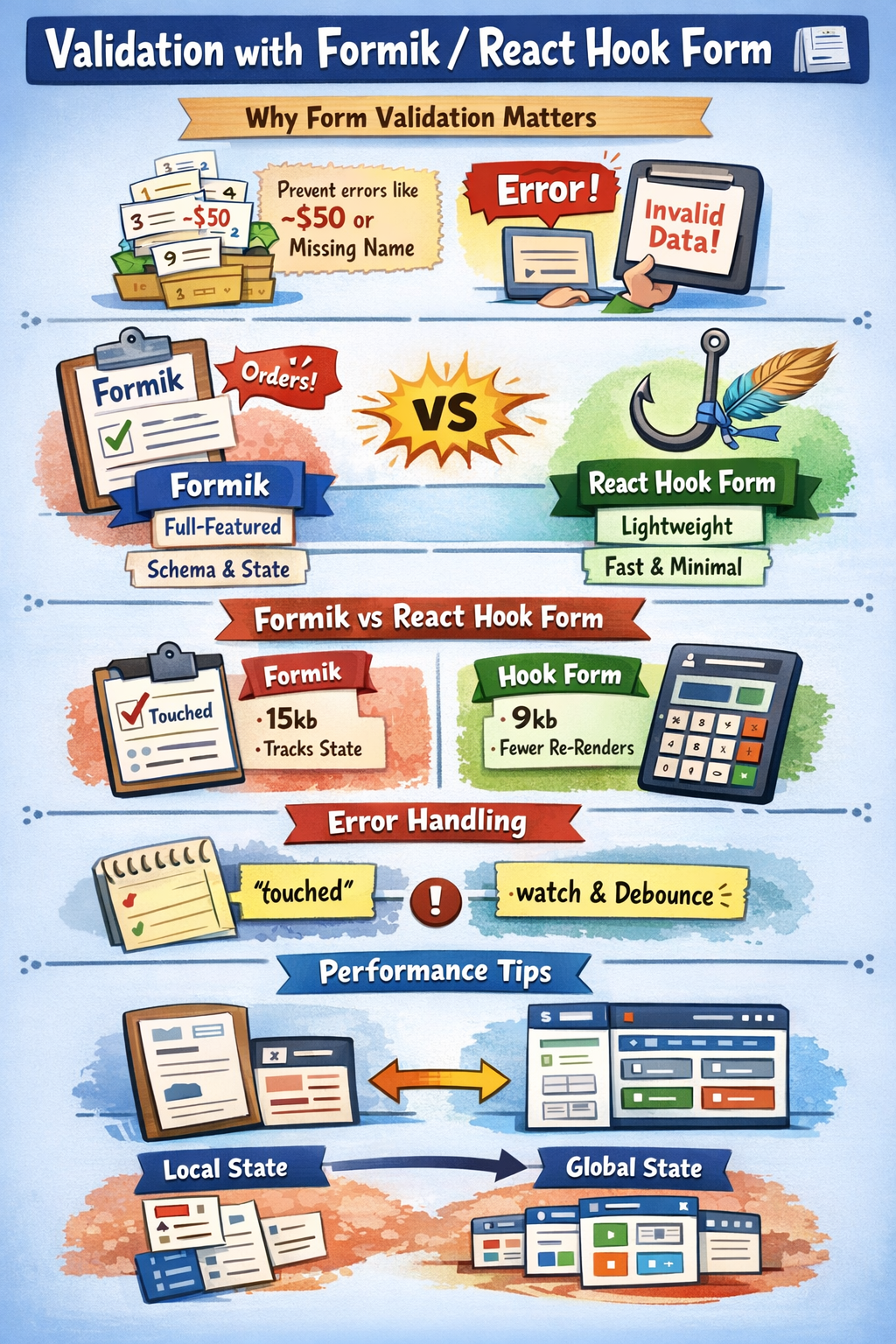
React forms need robust validation to ensure data quality in real-world apps like order management systems. This article explores Formik and React Hook Form libraries, building on controlled inputs and custom hooks from prior tutorials with advanced, copy-paste-ready examples.
Files to Create/Update
Create these files in your React project's src folder (use npx create-react-app validation-forms if starting fresh):
src/App.js– Main app integrating all examples.src/OrderFormFormik.js– Formik-based order form with validation.src/OrderFormHookForm.js– React Hook Form version.src/OrderList.js– Reusable list component (improved from prior articles).package.jsonupdates: Runnpm install formik yup @hookform/resolvers react-hook-form yupafter setup.
Full App.js and component code provided below – copy-paste, npm start, and test instantly.
Why Form Validation Matters
Validation prevents invalid data like negative order amounts or empty customer names, extending controlled vs uncontrolled inputs. Manual checks with useState work for basics but scale poorly; libraries like Formik (schema-driven, batteries-included) and React Hook Form (minimal, performant) handle complexity.
These build on props vs state by lifting errors to parent state and custom hooks for reusable logic.
Installing Dependencies
In your project root:
npm install formik yup react-hook-form @hookform/resolvers/yupFormik uses Yup for schemas; React Hook Form integrates it similarly. Restart npm start after install.
Formik: Full-Featured Validation
Formik simplifies forms with built-in state, validation, and submission. It tracks values, errors, touched, and isSubmitting automatically.
Basic Order Form with Formik
Extend the order form from controlled inputs: validate customer (required, min length) and amount (required, >0).
src/OrderFormFormik.js
import React from 'react';
import { Formik, Form, Field, ErrorMessage } from 'formik';
import * as Yup from 'yup';

const validationSchema = Yup.object({
  customer: Yup.string().required('Customer name required').min(2, 'At least 2 characters'),
  amount: Yup.number().required('Amount required').positive('Must be positive').min(10, 'Minimum $10'),
  notes: Yup.string().max(100, 'Notes too long')
});

function OrderFormFormik({ onCreateOrder }) {
  return (
    <Formik
      initialValues={{ customer: '', amount: '', notes: '' }}
      validationSchema={validationSchema}
      onSubmit={(values, { resetForm }) => {
        onCreateOrder({ ...values, amount: Number(values.amount) });
        resetForm();
      }}
    >
      {({ isSubmitting }) => (
        <Form>
          <label>
            Customer Name:
            <Field name="customer" type="text" />
            <ErrorMessage name="customer" component="div" style={{ color: 'red' }} />
          </label>
          <br />
          <label>
            Order Amount:
            <Field name="amount" type="number" />
            <ErrorMessage name="amount" component="div" style={{ color: 'red' }} />
          </label>
          <br />
          <label>
            Notes:
            <Field name="notes" as="textarea" />
            <ErrorMessage name="notes" component="div" style={{ color: 'red' }} />
          </label>
          <br />
          <button type="submit" disabled={isSubmitting}>
            Create Order
          </button>
        </Form>
      )}
    </Formik>
  );
}

export default OrderFormFormik;
Key Features:
Fieldauto-wiresvalue,onChange,onBlur.ErrorMessageshows Yup errors only on touched fields.resetForm()clears after submit, improving UX over manualuseStateresets.
Integrating with App State
Use props for parent-child communication, per parent-child communication.
src/OrderList.js (Reusable from keys in lists)
import React from 'react';

function OrderList({ orders }) {
  return (
    <ul>
      {orders.map((order) => (
        <li key={order.id}>
          #{order.id}: {order.customer} — ${order.amount} ({order.notes || 'No notes'})
        </li>
      ))}
    </ul>
  );
}

export default OrderList;
src/App.js (Complete, switchable demo)
import React, { useState } from 'react';
import OrderFormFormik from './OrderFormFormik';
import OrderFormHookForm from './OrderFormHookForm'; // We'll add this next
import OrderList from './OrderList';

function App() {
  const [orders, setOrders] = useState([]);
  const [activeForm, setActiveForm] = useState('formik'); // Toggle: 'formik' or 'hookform'

  const handleCreateOrder = (order) => {
    const newOrder = { id: Date.now(), ...order };
    setOrders([newOrder, ...orders]);
  };

  return (
    <div style={{ padding: '20px' }}>
      <h1>Order Management with Validation</h1>
      <button onClick={() => setActiveForm('formik')}>Formik Form</button>
      <button onClick={() => setActiveForm('hookform')}>React Hook Form</button>
      <h2>{activeForm === 'formik' ? 'Formik' : 'React Hook Form'}</h2>
      {activeForm === 'formik' ? (
        <OrderFormFormik onCreateOrder={handleCreateOrder} />
      ) : (
        <OrderFormHookForm onCreateOrder={handleCreateOrder} />
      )}
      <h3>Orders</h3>
      <OrderList orders={orders} />
    </div>
  );
}

export default App;
React Hook Form: Lightweight Alternative
React Hook Form uses refs under the hood (uncontrolled-style) for fewer re-renders, ideal for perf-sensitive apps. Integrates Yup via resolver.
Advanced Order Form with Hook Form
Builds on Formik but adds useWatch for real-time totals (ties to useMemo).
src/OrderFormHookForm.js
import React from 'react';
import { useForm } from 'react-hook-form';
import { yupResolver } from '@hookform/resolvers/yup';
import * as Yup from 'yup';

const validationSchema = Yup.object({
  customer: Yup.string().required('Customer name required').min(2, 'At least 2 characters'),
  amount: Yup.number().required('Amount required').positive('Must be positive').min(10, 'Minimum $10'),
  discount: Yup.number().min(0, 'Discount >=0').max(50, 'Max 50%'),
  notes: Yup.string().max(100, 'Notes too long')
});

function OrderFormHookForm({ onCreateOrder }) {
  const { register, handleSubmit, formState: { errors, isSubmitting }, watch, reset } = useForm({
    resolver: yupResolver(validationSchema),
    defaultValues: { customer: '', amount: '', discount: 0, notes: '' }
  });

  const amount = watch('amount');
  const discount = watch('discount') || 0;
  const total = amount ? (Number(amount) * (1 - discount / 100)).toFixed(2) : 0;

  const onSubmit = (data) => {
    onCreateOrder({ ...data, amount: Number(data.amount), discount: Number(data.discount) });
    reset();
  };

  return (
    <form onSubmit={handleSubmit(onSubmit)}>
      <label>
        Customer Name:
        <input {...register('customer')} />
        {errors.customer && <div style={{ color: 'red' }}>{errors.customer.message}</div>}
      </label>
      <br />
      <label>
        Order Amount:
        <input type="number" {...register('amount')} />
        {errors.amount && <div style={{ color: 'red' }}>{errors.amount.message}</div>}
      </label>
      <br />
      <label>
        Discount (%):
        <input type="number" {...register('discount')} />
        {errors.discount && <div style={{ color: 'red' }}>{errors.discount.message}</div>}
      </label>
      <br />
      <div>Final Total: ${total}</div>
      <label>
        Notes:
        <textarea {...register('notes')} />
        {errors.notes && <div style={{ color: 'red' }}>{errors.notes.message}</div>}
      </label>
      <br />
      <button type="submit" disabled={isSubmitting}>Create Order</button>
    </form>
  );
}

export default OrderFormHookForm;
Advantages Over Formik:
- Fewer re-renders (uses native validation).
watchenables reactive UI like live totals withoutuseEffectpitfalls.- Smaller bundle (~9kb vs Formik's 15kb).
Formik vs React Hook Form Comparison
| Feature | Formik | React Hook Form |
|---|---|---|
| Renders | Controlled (more re-renders) | Uncontrolled refs (perf) |
| Validation | Built-in Yup | Resolver (Yup, Zod, etc.) |
| Bundle Size | Larger (state-heavy) | Minimal |
| Learning Curve | Opinionated API | Hook-based, flexible |
| Best For | Complex forms, batteries-included | High-perf, simple validation |
Test in App.js – Hook Form updates total live without lag.
Complex Example: Product Order with List
Advance lists/keys + reusable components: Formik form for multi-product order.
src/ProductOrderForm.js
import React from 'react';
import { Formik, Form, FieldArray, Field } from 'formik';
import * as Yup from 'yup';

const schema = Yup.object({
  customer: Yup.string().required(),
  products: Yup.array().of(
    Yup.object({
      name: Yup.string().required(),
      qty: Yup.number().required().min(1),
      price: Yup.number().required().min(0.01)
    })
  )
});

function ProductOrderForm({ onCreateOrder }) {
  return (
    <Formik
      initialValues={{ customer: '', products: [{ name: '', qty: 1, price: 0 }] }}
      validationSchema={schema}
      onSubmit={onCreateOrder}
    >
        {({ values }) => (
        <Form>
            <label>Customer: <Field name="customer" /></label>
            <FieldArray name="products">
                {({ push, remove }) => (
                <div>
                    {values.products.map((product, index) => (
                    <div key={index}>
                        <Field name={`products.${index}.name`} placeholder="Product" />
                        <Field name={`products.${index}.qty`} type="number" />
                        <Field name={`products.${index}.price`} type="number" />
                        <button type="button" onClick={() => remove(index)}>Remove</button>
                    </div>
                    ))}
                    <button type="button" onClick={() => push({ name: '', qty: 1, price: 0 })}>
                    Add Product
                    </button>
                    </div>
                )}
            </FieldArray>
            <button type="submit">Submit Order</button>
        </Form>
        )}
    </Formik>
)}

export default ProductOrderForm;
Update App.js to include: <ProductOrderForm onCreateOrder={(data) => setOrders([data, ...orders])} />. Handles dynamic arrays with stable keys.
Error Handling Pitfalls
- Formik:
touchedprevents early errors; usevalidateOnMountcarefully. - Hook Form:
mode: 'onChange'for real-time, but pair withdebouncefor async. - Shared: Lift state up for global errors, per lifting state.
Performance Tips
Memoize heavy forms with React.memo/useCallback:
const MemoForm = React.memo(OrderFormFormik);For lists >100 items, use useMemo on totals.
Local vs Global State in Forms
Simple: Local (useForm). Complex (multi-page): Context/Redux, from local vs global.
Conclusion
Formik suits structured apps; React Hook Form excels in speed. Both elevate controlled inputs to production-ready. Experiment with provided code – extend to your order dashboard.
Next article: Multi-step forms and wizards.
Member discussion